Plan the build, then track every job

An auto project planner that knows what a VIN is. Milestones, parts, budgets, target dates — organized by vehicle, not by sticky notes scattered across your shop wall.
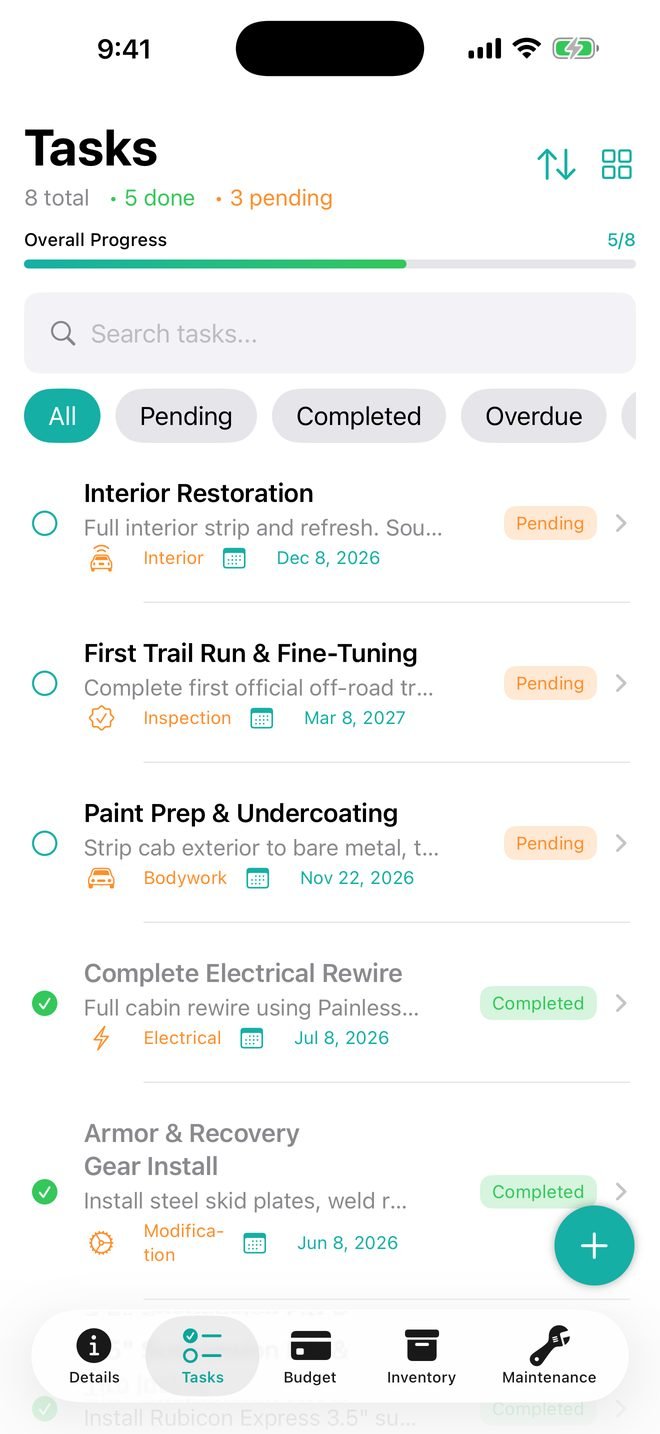
Task list for a 1974 IH Scout II build in Trackara, 5 of 8 tasks done

Why a vehicle-specific planner

Trello and Asana work fine for sprint planning at a software company. They're built for tasks. A vehicle build is parts, dates, codes, vendors, photos, receipts, mod logs, and an OBD2 scanner you wish was always nearby. A vehicle-specific planner just fits better.

Milestones tied to a vehicle

"Engine in by July." "Paint done before SEMA." Milestones live on the project car they belong to — not in a separate project tool that has no idea what car you mean.

Tasks with target dates

Break each milestone into checkable tasks: "order shocks," "remove fuel tank," "send block to machine shop." Set target dates, check them off as you go.

Parts ledger

Every part with vendor, part number, cost, ETA, and install date. Search across your whole build in seconds.

Budget tracking

Set a budget. Trackara rolls up every receipt, vendor bill, and shop charge against it. The "what did this actually cost" answer most builders avoid until they need to know.

Visual timeline

Photos auto-grouped by date and milestone. Two years from now, the whole story of the project is still in order.

OBD2 + service log

Pull diagnostic codes, log every service, attach scan results to the project. The diagnostic data lives next to the planning data.

How a real project flows

Most project tools fail because they ask you to think in their structure (boards, lists, sprints). Trackara works the way a build actually flows.
  1. Add the vehicle. Year, make, model, VIN, current state. This is the root of everything.
  2. Define the milestones. Phase 1: teardown. Phase 2: bodywork. Phase 3: drivetrain. Phase 4: reassembly. Add target dates.
  3. Break each milestone into tasks. Specific, dated, checkable.
  4. Log parts as you order them. Vendor, part number, cost, expected arrival, install milestone.
  5. Set a budget. Total budget per phase, plus a cushion. Trackara tracks against it as receipts come in.
  6. Document progress. Photos and notes from the garage, even offline. Sync when you're back online.
  7. Hit milestones. Check them off, the timeline updates, the budget settles, the next phase queues up.
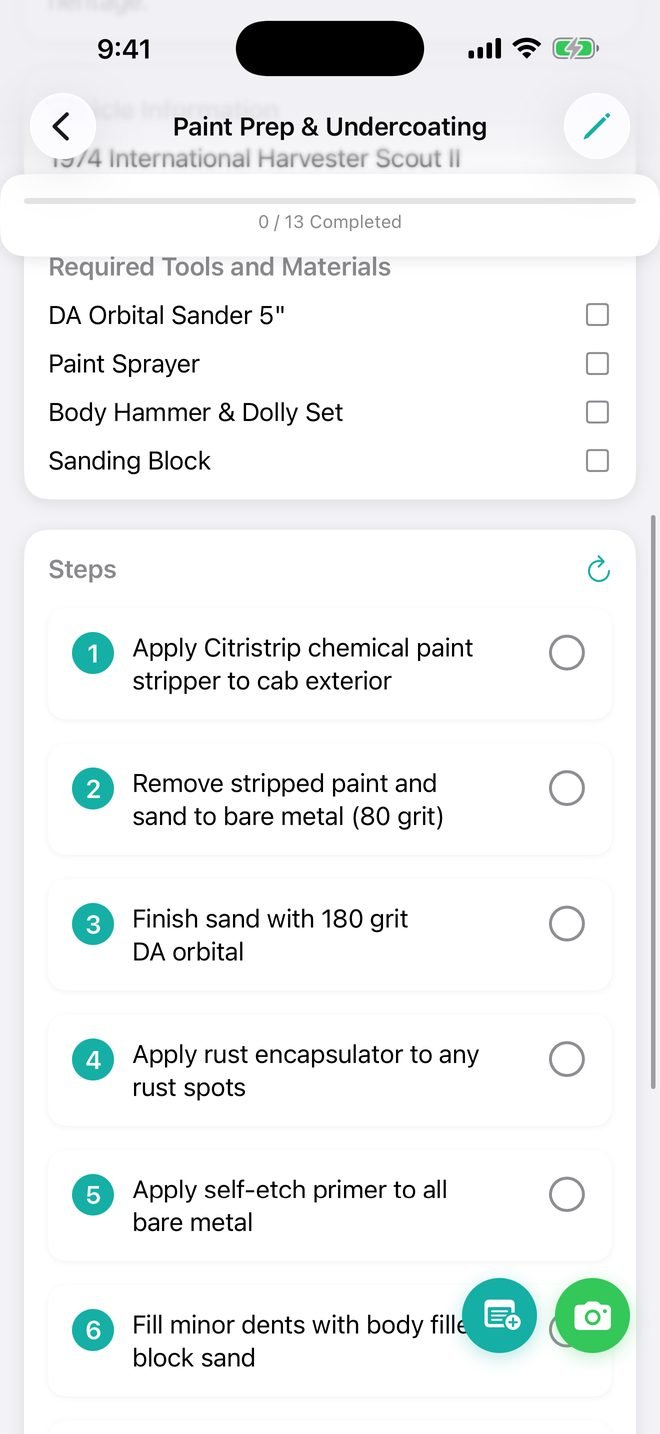
Paint prep task in Trackara with required tools, materials and numbered steps

Who uses an auto project planner

Home restorers
Frame-off restorations that run 18+ months. Track every phase, every part, every dollar. Don't lose the timeline.
Performance builders
Engine swaps, supporting mods, fuel system upgrades. Each modification logged in sequence so the build makes sense to anyone reading it later.
Track-day prep
Tire pressures, alignment specs, brake pad selection, fuel logs. Different setup per track, captured in one place.
Small fleet planners
Three vehicles, six vehicles, twenty. Each one with its own schedule, its own milestones, its own budget — but one dashboard.

Questions

What is an auto project planner?
An auto project planner is software for organizing vehicle restoration and modification projects. It tracks milestones, parts purchases, target dates, and costs across one or more vehicles. Trackara is built specifically for this. Unlike generic project apps, it understands cars, parts, OBD2 codes, and how restorations actually work.
How is this different from generic project management software like Asana or Trello?
Generic project tools don't know what a VIN is, can't pull OBD2 codes, and don't have parts ledgers or service intervals. Trackara is purpose-built for vehicles: every project is tied to a specific car, parts have vendor/part-number metadata, and you can run the OBD2 scanner from the same screen.
Can I plan multiple project cars in one account?
Yes. Trackara supports unlimited vehicles and projects on a single subscription. Daily driver, project car, motorcycle, and a shop truck, all in one dashboard.
Does it handle budgets and expense tracking?
Yes. Every part purchase, shop bill, or expense is logged against the vehicle. Trackara totals it per project, per category, and overall, so you know what the build actually cost.
What is a good way to plan a car restoration step by step?
Start with a goal and a budget, then split the work into phases such as teardown, bodywork, drivetrain and reassembly. Give each phase a target date, break it into small checkable tasks, and log parts as you order them with the vendor, part number and cost. In Trackara you add the vehicle, define milestones, break each one into tasks with target dates, and track spending against a budget as the project moves.
How do I make a project plan for an engine swap?
Treat the swap as its own project with phases: removing the old engine and drivetrain, mounting the new one, fuel, cooling and wiring, then tuning and testing. List the parts for each phase before you buy, set a budget with a cushion, and give each phase a target date. Trackara's task planner turns a job description into a checklist you can edit.
Can an app track milestones and target dates for a car build?
Yes. In Trackara, milestones live on the vehicle they belong to. Break each milestone into tasks, set target dates, and check tasks off as you finish them.
How is a project car planner different from a to-do app?
A to-do app holds tasks. A car build also has parts, vendors, costs, photos and dates that belong to one specific car. A project car planner keeps all of that together per vehicle, so the checklist, the parts ledger, the budget and the photo timeline stay connected.

Plan your next build with Trackara

Free to download. Add your first project in about a minute.

Related